An access request that arrives from access@youragency.com looks like it comes from you, because it does. To let a
service send email in your name, you prove to the receiving mail servers that you allowed it. That takes two DNS
records at your domain and a few minutes.
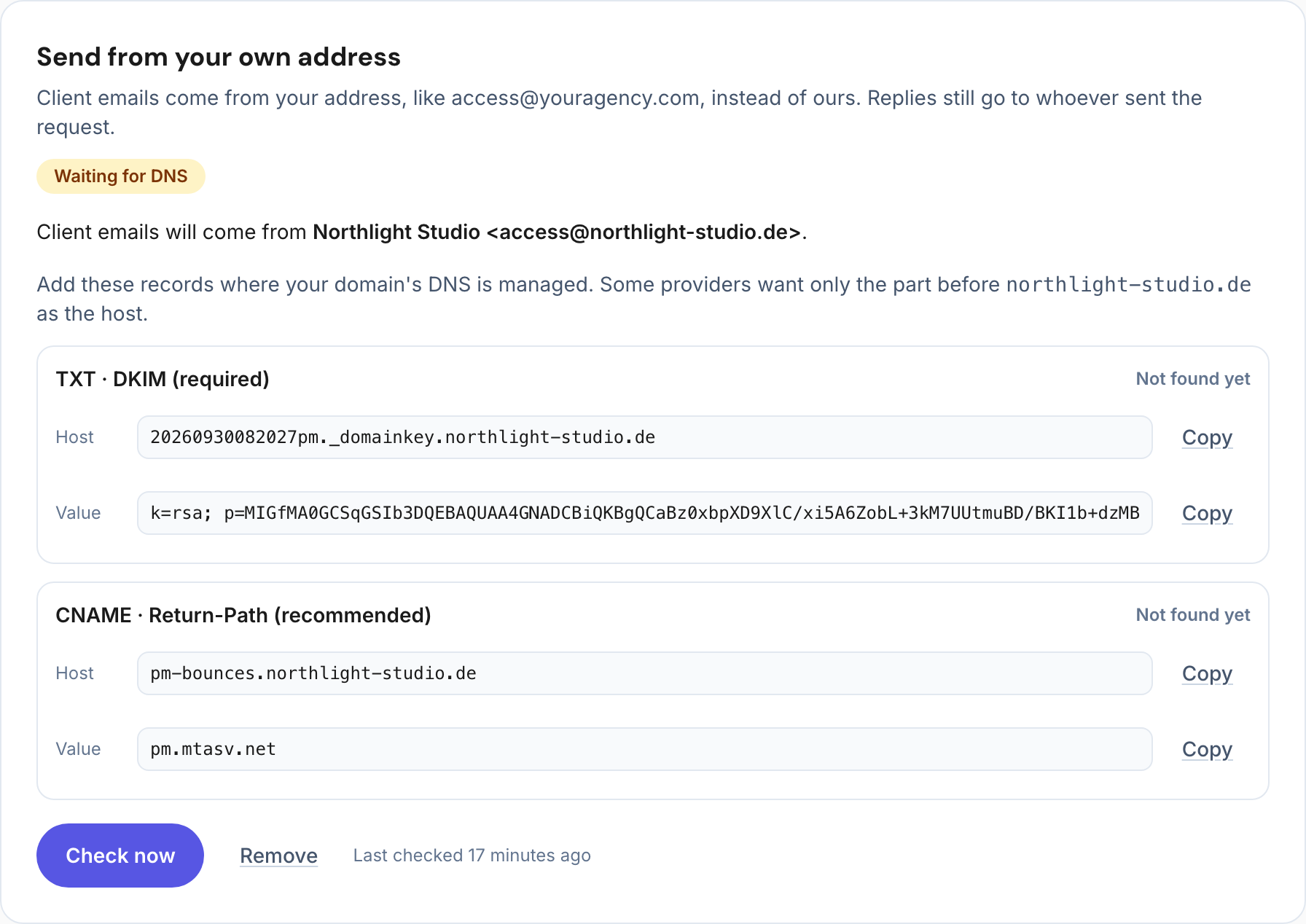
The two records
| Record | What it does | Needed |
|---|---|---|
| DKIM (TXT) | Signs every email with a key only you and the sending service know, so mail servers can check it really comes from your domain | Required |
| Return-Path (CNAME) | Lets bounces go to the sending service under your domain, which lines up with a strict DMARC policy | Recommended |
Where to add them
Add both records where your domain’s DNS is managed: often the registrar (Namecheap, IONOS, GoDaddy), or Cloudflare.
- Host: many providers want only the part before your domain. For
20260930pm._domainkey.youragency.comenter20260930pm._domainkey; forpm-bounces.youragency.comenterpm-bounces. - Value: paste it exactly. A DKIM key is long; do not add quotes or line breaks.
- TTL: automatic is fine.
Check that it works
DNS changes usually show within minutes, sometimes a few hours. Then check the records; once DKIM is found, emails go out from your address. Send yourself a test request and look at the sender in your inbox.
Which address to use
Use an address at your domain that someone reads, or that forwards to a real inbox, like access@ or hello@.
Clients sometimes answer the invitation; with Agency Client Onboarding replies go to the colleague who sent the
request anyway.
If you already use DMARC
DKIM on your own domain is what DMARC checks, so a strict policy (p=quarantine or p=reject) keeps working. Nothing
changes for your other email: the new DKIM key has its own name and sits next to the ones you already have.
Frequently asked questions
Do I need to change my SPF record?
No. With the Return-Path record the sending service handles SPF under its own subdomain of your domain.
Can I use a Gmail or Outlook.com address?
No. Only an address at a domain you control works, because you have to add DNS records to it.
With Agency Client Onboarding
Your own sender address is in early access: ask for it in Agency settings. We register your domain, show both records with a copy button, and check them for you.
See it with the demo agency Northlight Studio in the live demo: your client’s side and the agency’s view, side by side.