The first thing a new client does with your agency is often giving you access to their accounts. If that link and email carry another company’s name, the client has to wonder who they are dealing with. White label means the client sees only your agency: your logo, your color, your sender address and, if you like, your own domain in the link.
What your client sees
A white-label access request is a page with your logo and name at the top, your color on the buttons, and the accounts you need, each with a short reason. There is no tool name in the header or the footer.
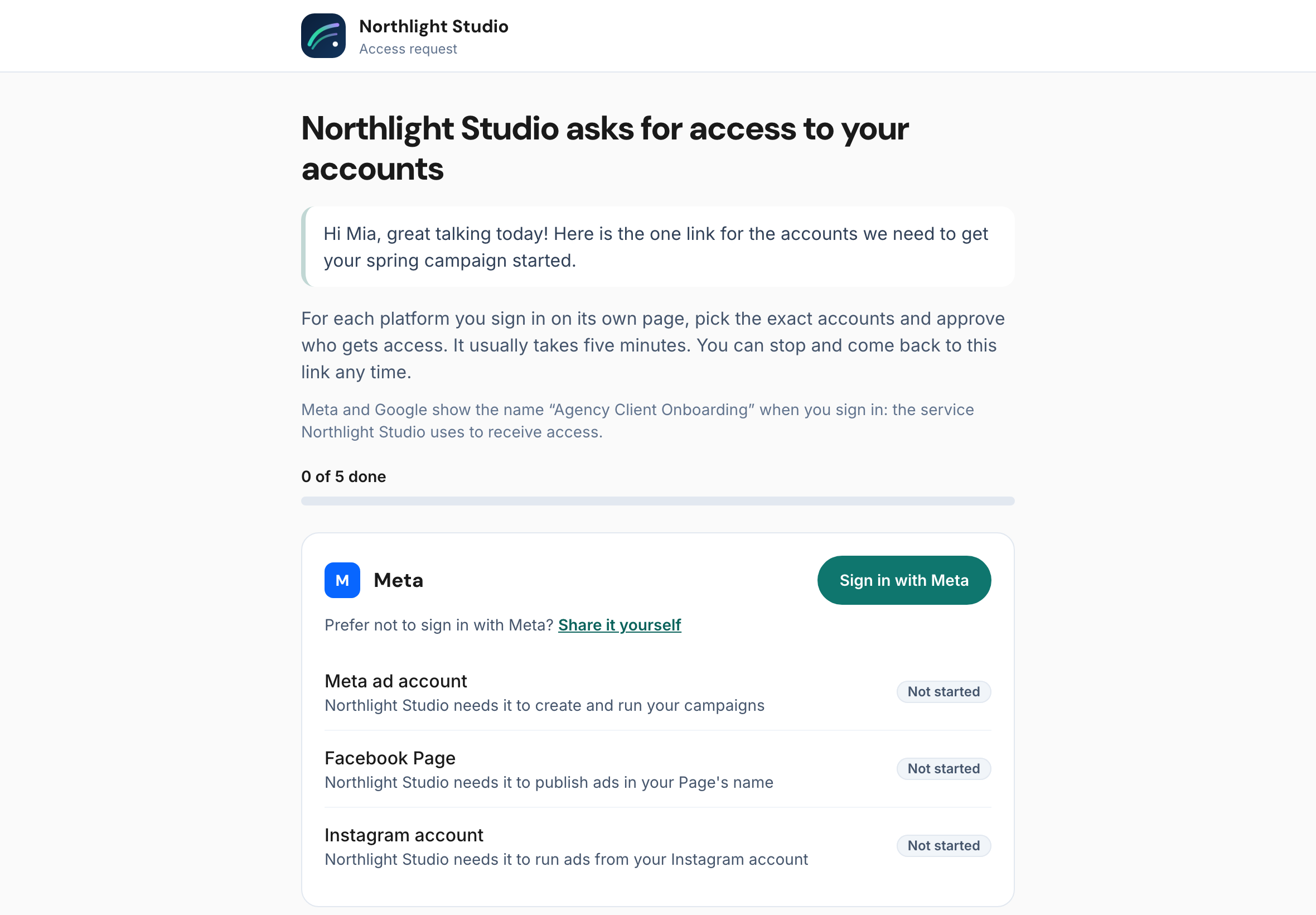
Your client still signs in on Meta’s and Google’s own pages. Those screens always show the name of the app that asks for permission, and that cannot be changed by anyone. A good white-label page says so before the client gets there, in one line, so the name does not come as a surprise.
The email that comes with it
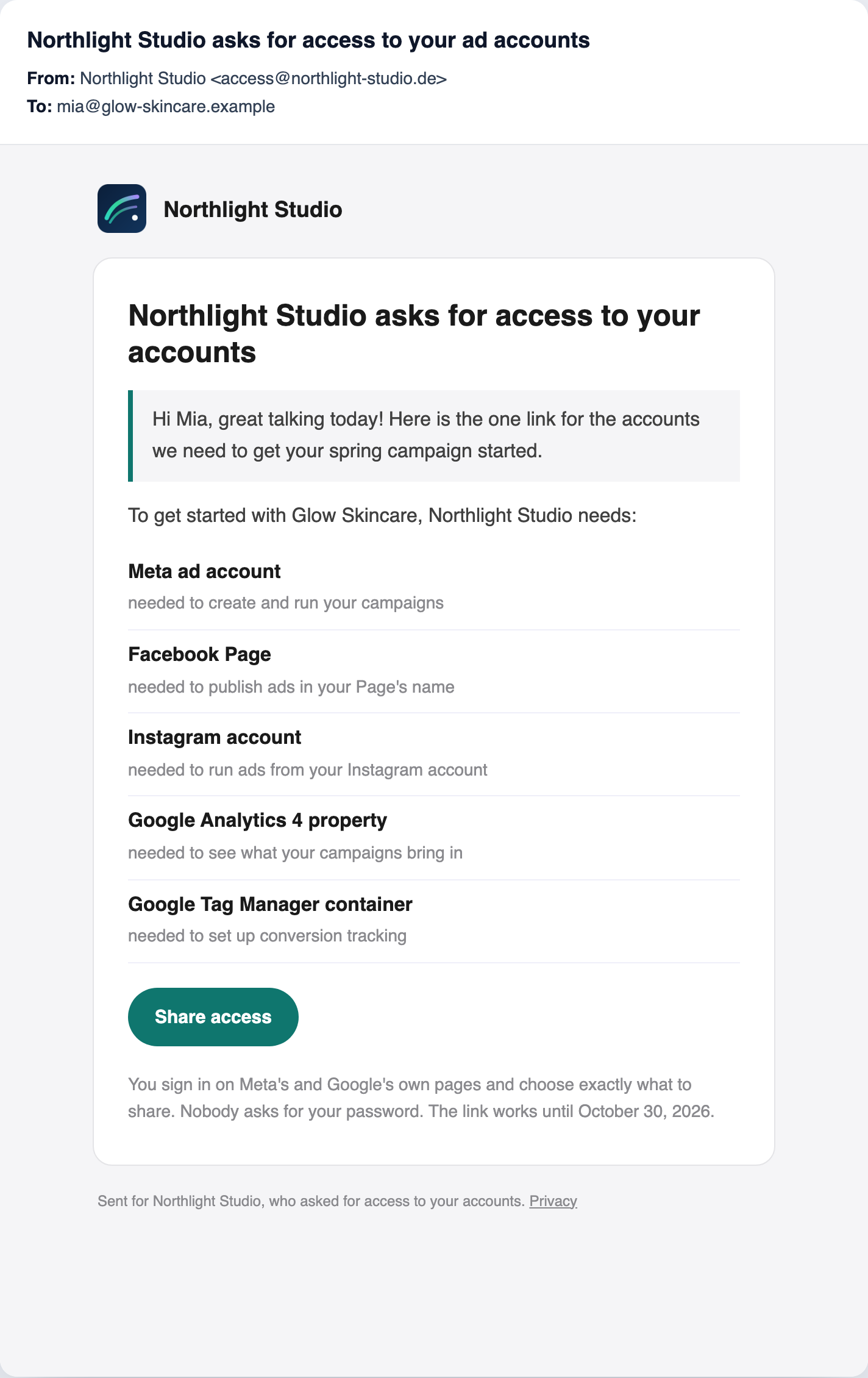
The request email carries your logo and your color on the button, and your agency’s name as the sender. With your own
sender address, it comes from an address at your domain, like access@youragency.com, and replies go straight to the
person who sent the request.
Setting it up
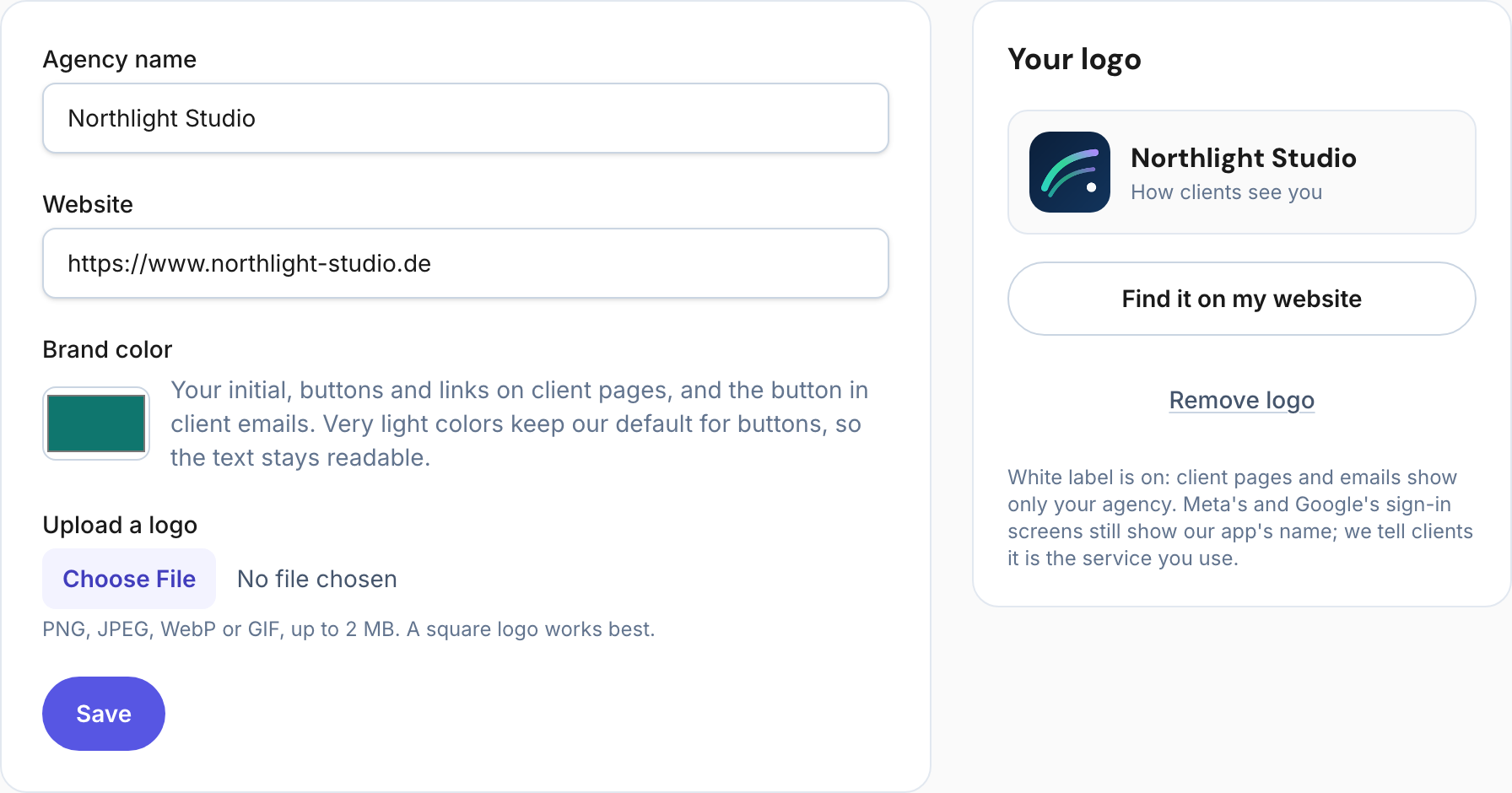
- Logo: enter your website and let the logo be found there (the icon your site shows on phones), or upload it. A square logo works best.
- Color: pick your brand color. A very light color is kept for accents only, so button text stays readable.
- Sender address (optional): add two DNS records at your domain; see Send client emails from your own domain.
- Link domain (optional): point a subdomain at the service; see Put client links on your own domain.
What white label cannot hide
- Meta’s and Google’s sign-in screens name the app that asks for permission. That is the platforms’ rule, and it protects your client.
- The privacy policy of the service that processes the sign-in stays linked, because your client is entitled to read it.
Frequently asked questions
Can I remove every mention of the tool?
From your pages and emails, yes. Meta’s and Google’s own sign-in screens always show the app’s name, which is why the page tells your client first.
Does white label change what my client shares?
No. Your client still chooses each account and approves the access on the platform’s own page.
With Agency Client Onboarding
Every agency shows its name and color on its clients’ pages. Your logo without our name, your own sender address and your own link domain are in early access: ask for them in Agency settings.
See it with the demo agency Northlight Studio in the live demo: your client’s side and the agency’s view, side by side.