Most agencies lose the first week with a new client to access: the wrong ID, a client who is not an admin, a password sent by email. This checklist is what to ask for, what to send, and what usually goes wrong.
What to ask for
| For | Ask for | Role that is usually enough |
|---|---|---|
| Paid social | Meta ad account, Facebook Page, dataset (pixel), Instagram account | manage campaigns; create ads on the Page |
| Google Ads | Google Ads account, linked to your manager account | standard access through the link |
| Measurement | Google Analytics 4 property, Google Tag Manager container | Analyst or Marketer; Publish only if you set up tags |
| SEO | Search Console property | Full user |
| E-commerce | Shopify store (collaborator access) | only the sections you need |
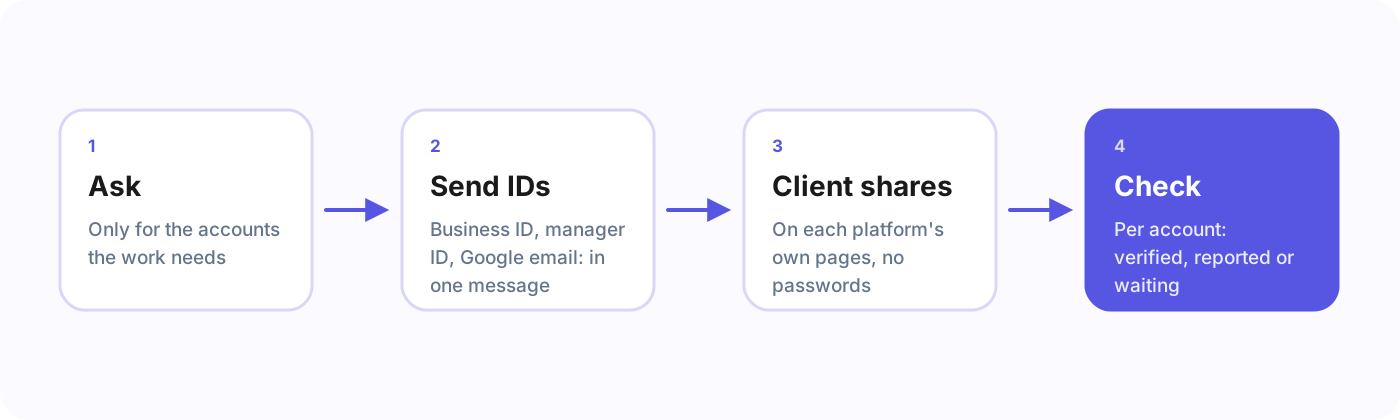
Ask only for what the work needs. Clients say yes faster to a short list.
What to send the client
- Your Meta Business ID, not an ad account ID. See How to find your Meta Business ID.
- Your Google Ads manager account ID. See How to find your Google Ads manager account ID.
- The Google account email that should get Analytics, Tag Manager and Search Console access. It has to be a real Google account.
- One message with all of it, in the order the client will click through it.
What usually holds it up
- The person you talk to is not an admin. They can see the ad account but cannot share it. Ask early who owns the business portfolio and the Google Ads account.
- Assets owned by someone else. An ad account that belongs to a former agency’s portfolio can only be shared by that portfolio. The client may have to request it back first.
- Google’s passkey rule. Linking Google Ads needs a passkey, and a new passkey can take up to 7 days. Tell the client on day one; see Google Ads now needs a passkey.
Never
- Ask for passwords or accept them by email. Every platform here has a way to share access without them.
- Create the ad accounts in your own business for the client. Ownership should stay with the client.
Frequently asked questions
Should an agency ever ask for a client’s password?
No. Meta, Google and Shopify all have ways to share access without a password.
Who should own the ad accounts?
The client. Create them in the client’s business portfolio or account, and share them with the agency.
The quicker way
Agency Client Onboarding turns this checklist into one link: the client signs in on each platform’s own page, ticks the accounts, and you see which access is ready and which still needs something.