
When a client gives your agency access to their Meta ad account, Page or pixel, they share it with your business portfolio (formerly Business Manager). For that they need one number from you: your Business ID.
Where it is
- Open Meta Business Suite › Settings › Business info and pick your agency’s portfolio in the switcher at the top left if you have several.
- Under Business portfolio info you see the Business portfolio ID: a number of about 15 to 16 digits.
- Copy it and send it to your client, or enter it once as your recipient in your onboarding tool.
You need to be an admin of the portfolio to see all settings; an employee can see the ID too.
Business ID, ad account ID, Page ID: which one is which
| ID | Belongs to | Who needs it |
|---|---|---|
| Business ID (business portfolio ID) | your agency’s portfolio | your client, to share assets with you |
| Ad account ID | one ad account (in Ads Manager, “act_” plus digits in the API) | you, to find the account after it was shared |
| Page ID | one Facebook Page | rarely: sharing uses the Page itself |
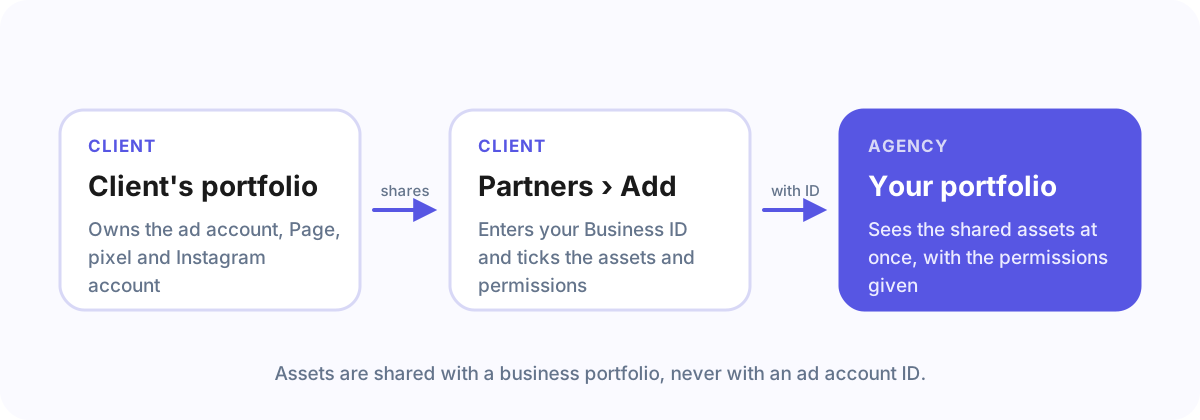
A common mistake is sending your client your ad account ID instead of the Business ID. Sharing then fails, because assets are shared with a business, not with an ad account.
Several portfolios?
Many agencies have more than one portfolio, for example an old one from a freelancer time. Give clients the one your team works in every day: access shared with the other one does not show up where your team looks.
Frequently asked questions
Is the Business ID the same as the Business Manager ID?
Yes. Meta renamed Business Manager to business portfolio; the ID stayed the same.
Can a client share with my personal Facebook account instead?
They can add you as a person, but sharing with your business portfolio is better: your team gets access through it, and removing someone who leaves happens in one place.
With Agency Client Onboarding
Connect Meta once under Recipients and pick your portfolio from the list: no looking up and no typing. Your clients see the portfolio’s name before they approve anything.