Your agency asks for access to your Meta ad account, Facebook Page or pixel. The right way is to share them with the agency’s business portfolio: you keep ownership, you choose what they can do, and you can remove access any time. Never send your Facebook password.
What you need
- The agency’s Business ID (a number of about 15 to 16 digits). Ask them for it.
- Admin rights in your own business portfolio. If you do not see Settings in Meta Business Suite, ask whoever set it up.
Steps
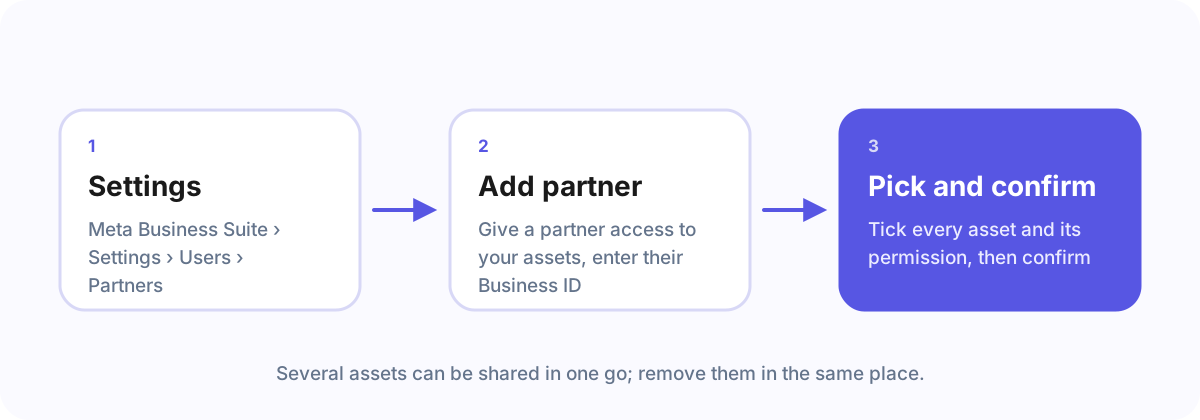
- Open Meta Business Suite › Settings.
- Go to Users › Partners and click Add, then Give a partner access to your assets.
- Enter the agency’s Business ID.
- Choose the assets: your ad account, Page, dataset (pixel) and, if asked, Instagram account. For each, choose what the agency may do. For running ads, the agency usually needs to manage campaigns on the ad account and to create ads on the Page.
- Confirm. The agency sees the assets in their portfolio right away.
What the agency can and cannot do
The agency gets exactly the permissions you chose, for the assets you chose. It does not get your password, your other assets, or ownership. Billing stays yours unless you add the agency’s payment method yourself.
Remove access later
Same place: Settings › Users › Partners, pick the agency, and remove the assets or the partner.
Frequently asked questions
Does the agency get access to my billing?
No. Billing stays yours unless you add the agency’s payment method yourself.
How do I remove the agency again?
In Meta Business Suite › Settings › Users › Partners, choose the agency and remove the assets or the partner.
The quicker way
If your agency sends you an Agency Client Onboarding link, you sign in with Meta on Meta’s own page, tick the accounts and confirm; the agency sees at once what is ready. It takes about five minutes and never asks for a password.