Agencies usually manage their clients’ Google Ads accounts from a manager account, often called an MCC. To get
access, you link each client account to it. For that you need your manager account’s customer ID: ten digits,
written like 123-456-7890.
Where it is
- Sign in to Google Ads with the Google account that manages your manager account.
- Open the account switcher at the top. Your manager account is marked as a manager account; its ID is shown next to its name.
- Inside the manager account the same ID is at the top right, next to the account name.
Check that it says manager account. Client accounts have the same ten-digit format, and sending a client account’s ID is the most common mix-up.
Why link instead of adding a user
A client can also add your email as a user of their Google Ads account. Linking to your manager account is better for both sides:
- your whole team gets access through the manager account, without the client adding every person;
- when someone leaves your agency, you remove them in one place;
- the client sees one clear connection to your agency and can end it in one place.
How the link is made
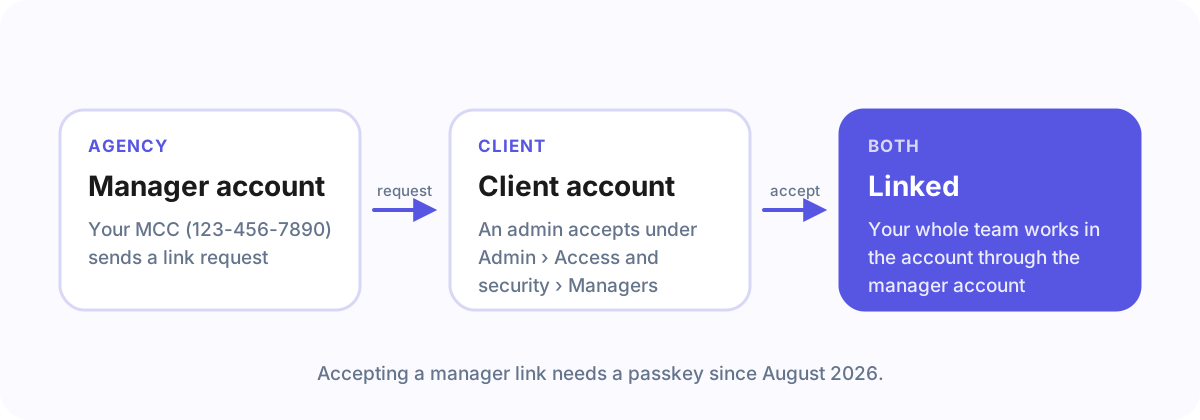
The manager account sends a link request to the client’s account, and an admin of the client’s account accepts it (in Google Ads under Admin › Access and security › Managers). Since 2026 Google asks for a passkey for this step; see Google Ads now needs a passkey.
Frequently asked questions
Does a manager account cost anything?
No. Creating a Google Ads manager account is free.
Can a client account be linked to more than one manager account?
Yes, a client account can be linked to several manager accounts, for example its agency and an in-house team.
With Agency Client Onboarding
Enter your manager account ID once under Recipients. If you connect Google Ads there as well, Google confirms the account and the link request is sent for you when a client picks their account.