SEO agencies need Search Console to see how your site shows up in Google: search queries, indexing problems and sitemaps. Only an owner of the property can add people.
Steps
- Open Google Search Console and pick the property.
- Go to Settings › Users and permissions.
- Click Add user.
- Enter the email your agency gave you and choose Full or Restricted.
- Click Add.
Full or restricted
| Permission | What the agency can do |
|---|---|
| Restricted | see most data |
| Full | see all data and take some actions, like submitting sitemaps and requesting indexing |
| Owner | everything, including adding and removing users |
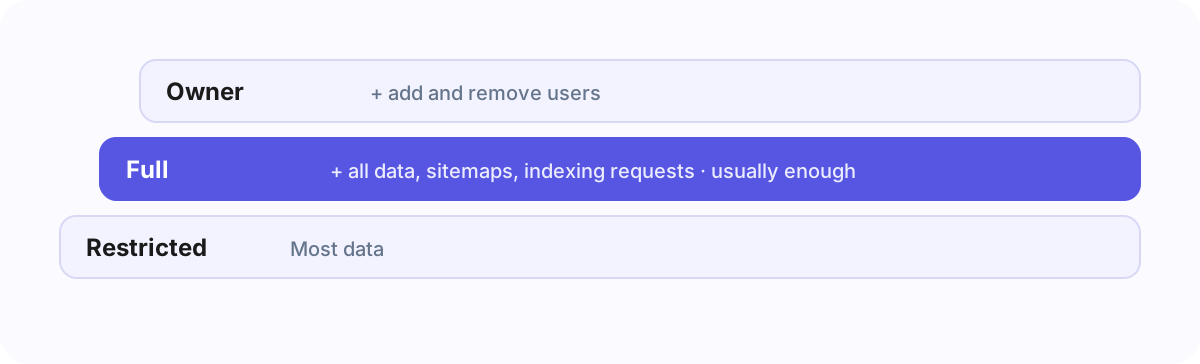
Full is enough for most SEO work. Keep Owner for your own team.
Domain or URL prefix
If your site has a domain property (for example example.com, covering all subdomains and http/https), add the
agency there. A URL-prefix property (for example https://www.example.com/) only covers addresses starting with
exactly that prefix.
If you are not an owner
Ask whoever set up Search Console to add the agency, or to make you an owner first. The email has to be a Google account.
Frequently asked questions
Can the agency verify a new property for me?
Only an owner can verify properties and add users; a full user cannot.
Does Search Console access give access to Google Analytics?
No. They are separate products with separate users.
The quicker way
Search Console access is one of the steps in an Agency Client Onboarding link: the client sees these steps with the agency’s address already filled in, and the agency can check from its side that access arrived.